You built a business that generates real revenue. You deposit checks, pay vendors, and file taxes every year. But if someone asked you whether your books have ever actually balanced, you would not know how to answer. The solution is not a single heroic weekend of data entry. It is a structured reconciliation process that proves every number on your financial statements is real, traceable, and defensible.

What It Actually Means to Balance Your Books
Balancing your books is not the same as looking at your bank balance and feeling relieved. It is the formal process of reconciliation. You compare every transaction in your accounting software against the official statement from your bank or credit card. When the two match to the penny, your books are balanced. When they do not, you have a discrepancy that must be found and fixed.
Many business owners confuse having accounting software with having balanced books. They connect their bank feed, watch transactions flow in automatically, and assume the software is doing the work for them. The bank feed is only the first step. Without reconciliation, that feed can quietly duplicate transactions, miss deposits, or hide fees you never categorized.
The danger is invisible. Your profit and loss statement looks reasonable. Your bank balance looks healthy. But underneath, the foundation is cracked. The numbers you rely on to make pricing, hiring, and tax decisions are built on unverified data that can collapse the moment a lender, an investor, or the IRS asks for proof.
The Hidden Cost of Never Reconciling
When you never balance your books, errors compound silently. A duplicated transaction inflates your expenses and makes your business look less profitable than it is. A missed deposit understates your revenue and can trigger a tax notice when the IRS matching system flags the gap. A miscategorized fee distorts your margins and leads you to price your services incorrectly.
The longer these errors sit uncorrected, the harder they are to trace. A mistake from three months ago is a five minute fix. That same mistake discovered two years later requires reconstructing an entire period of activity. The cost of the cleanup always exceeds the cost of the prevention.
The Signals You Have Never Actually Balanced
- Your software balance never matches your bank balance
- You have no idea what reconciliation means
- Uncategorized transactions sit in your feed for months
- You file taxes from a bank statement instead of clean books
- Your accountant asks for reports you cannot produce
- You have never clicked the reconcile button in your software
- Year end feels like a panicked guessing game
Step One: Gather Every Statement Before You Touch a Keyboard
Reconciliation requires an external source of truth. That source is your bank or credit card statement. Before you open your accounting software, download the official statement for every account tied to your business for every month you need to reconcile. If you have never balanced your books, this may mean pulling statements going back a full year or more.
Do not rely on what you remember spending. Memory is not documentation. The statement is the official record of what actually moved through the account. Your job is to make your software match that record exactly.

Organize Statements Chronologically
Sort your statements by account, then by month. Reconciliation must happen in order. You cannot reconcile March before you reconcile January and February, because the opening balance of each month depends on the closing balance of the month before it. Skipping around guarantees broken totals.
If your bank only provides digital statements, download the PDF for each month and name the file clearly with the account and the period. A folder named 2024 Checking with files labeled 01-January through 12-December turns a chaotic pile into an organized archive you can actually work through.
Step Two: Confirm Your Starting Point Is Correct
Every reconciliation begins with a starting balance. If that starting balance is wrong, every reconciliation that follows will be wrong too. This is the single most common reason a business owner who has never balanced their books cannot get the numbers to match no matter how many times they try.
Your starting balance should equal the closing balance on the bank statement for the month before your first reconciliation period. If your software shows a different number, you must correct it before reconciling anything else. A wrong opening balance is usually caused by an incorrect initial setup, a deleted opening transaction, or a duplicate starting entry.
Step Three: Work Through One Month at a Time
Open the reconciliation tool in your accounting software. Enter the ending balance from your bank statement for the first month. Then check off every transaction that appears on both the statement and in your software. When the difference reaches zero, that month is balanced. Move to the next month and repeat.
This is tedious work, especially when you are catching up on months or years of activity. But it is the only way to prove your numbers are real. Every shortcut you take here becomes a liability later. Commit to the process and work through it methodically.

What to Do When the Difference Is Not Zero
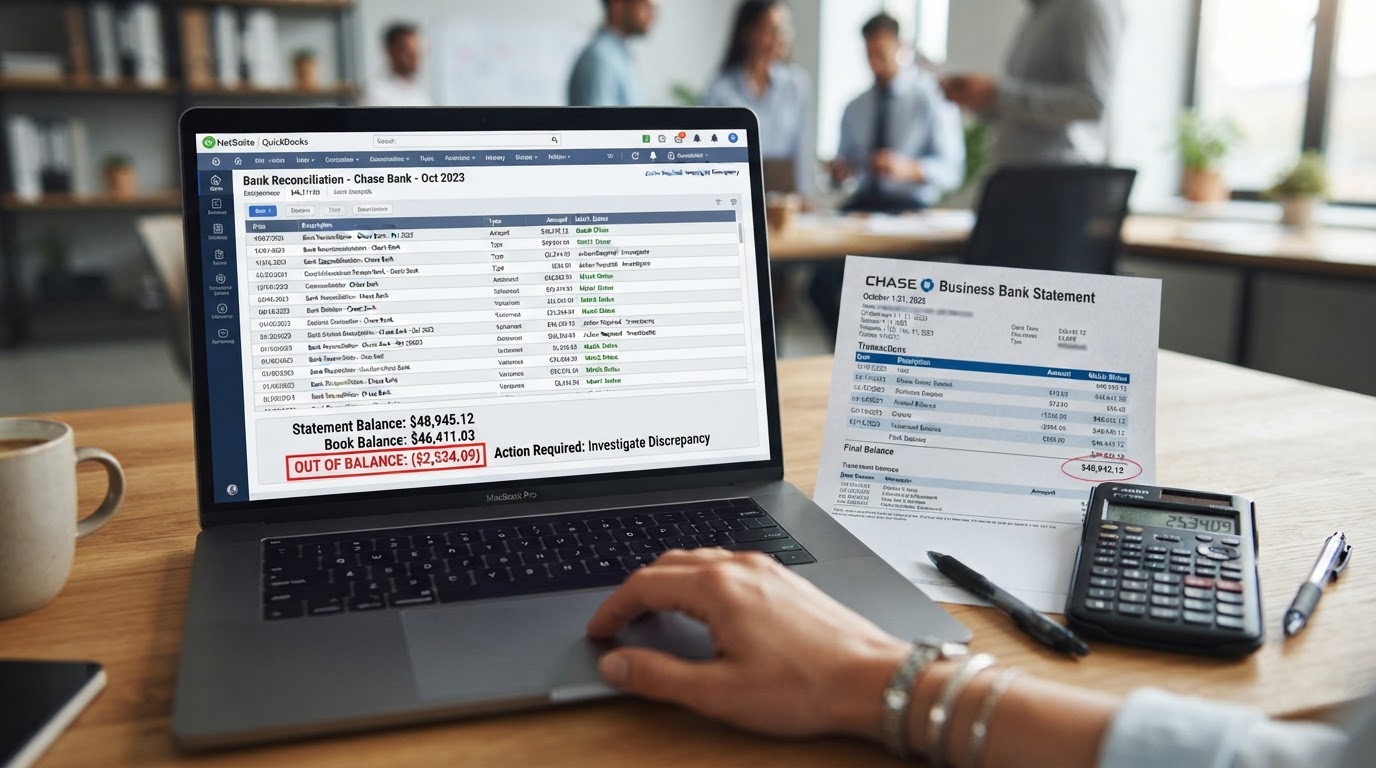
When the reconciliation screen shows a remaining difference, do not force it to close. A forced reconciliation buries the error instead of fixing it. Instead, hunt for the cause. The most common culprits are duplicate transactions, missing fees, deposits recorded for the wrong amount, or transactions dated in the wrong month.
Compare your software transaction list to the bank statement line by line. The discrepancy is almost always one transaction that exists in one place but not the other. Find it, correct it, and the difference will resolve itself. Patience here saves you from repeating the entire month later.
Step Four: Categorize Every Transaction as You Reconcile
Reconciliation is also the moment to categorize. As you check off each transaction, assign it to the correct expense account. A transaction that sits uncategorized for months is a transaction you will forget the purpose of. Categorize while the context is fresh and the statement is in front of you.
Keep your chart of accounts simple and consistent. If you create a new category for every minor expense, your reports become unreadable. If you dump everything into one generic expense account, your reports become useless. Aim for clear, meaningful categories that map directly to the lines on your tax return.
Step Five: Review Your Financial Statements After Each Reconciliation
Once a month is reconciled, generate your profit and loss statement and balance sheet for that period. Reconciliation confirms your transactions are complete. The financial statements tell you what those transactions mean. Together they give you a complete and trustworthy picture of your business.
Look at the numbers and ask whether they make sense. Is your net profit positive and trending in a logical direction? Do your expense ratios look reasonable for your industry? If something looks wrong, it probably is. Reconciliation is your chance to catch it before it reaches your tax return.

Understand the Balance Sheet Checks Out
A balanced set of books means your balance sheet actually balances. The total assets must equal the total of liabilities plus equity. If that equation is off, something in your books is wrong, even if your reconciliation showed zero differences. A broken balance sheet is a sign of deeper structural errors that reconciliation alone may not surface.
Common balance sheet problems include negative accounts receivable, loan balances that never decrease, and equity accounts that do not reflect owner contributions and draws correctly. These issues do not show up on a profit and loss statement, which is why reviewing both reports together is essential.
Step Six: Build a Monthly Reconciliation Habit
Catching up on years of unreconciled books is painful. Staying current is easy. Once your historical months are balanced, the goal is to never fall behind again. Reconcile every account once a month, within a week of receiving the statement.
Block a recurring time on your calendar. Treat it like a client meeting you cannot cancel. One hour a month prevents the kind of year end crisis that costs thousands in cleanup fees and missed deductions. The habit is the entire point.

Automate the Routine, Not the Judgment
Modern accounting software can automate transaction import and suggest categories. That automation is useful, but it is not reconciliation. Software cannot confirm that a transaction is real, correct, and properly classified. That judgment is yours. Use automation to save time on data entry, then apply human review to confirm accuracy.
The businesses that stay balanced are not the ones with the most automation. They are the ones with the discipline to review what the automation produces. Trust the tools to move the data, but verify the results yourself every single month.
Common Reconciliation Mistakes to Avoid
- Forcing a reconciliation to close with a remaining difference
- Reconciling months out of chronological order
- Ignoring a wrong starting balance
- Leaving transactions uncategorized for months
- Trusting the bank feed without comparing to the statement
- Skipping the balance sheet review entirely
- Waiting until tax season to reconcile the entire year
The Zion Approach and Strategy
We do not hand you a reconciliation guide and disappear. We start by reconstructing every unreconciled month in your history, working backward from your most recent statement until every period balances to the penny. That historical cleanup gives you a clean foundation to build on instead of carrying old errors forward forever.
We then take over the monthly reconciliation process for you. Every account, every credit card, every loan is reconciled within days of the statement closing. You never have to remember to do it, and you never have to wonder whether your numbers are real. We close each month with documentation you can hand to a lender, an investor, or the IRS without hesitation.
Our proactive approach means we review your reconciled financial statements with you throughout the year. We flag margin erosion before it becomes a crisis. We catch miscategorized expenses before they distort your tax strategy. We confirm your balance sheet balances every month so structural errors never accumulate in the background.
When our clients grow, we grow too. Your financial clarity is the foundation of that growth. A business built on unverified numbers is a business built on sand. We exist to move you onto solid ground and keep you there, month after month, year after year.

You Can Balance Your Books Alone, But You Do Not Have To
Every step in this guide is something you can do yourself. You can pull your statements, open the reconciliation tool, and work through each month until the difference reaches zero. Many business owners do exactly that and build a workable system over time.
But an unshakeable financial foundation requires more than a workable system. It requires a dedicated partner who reconciles your accounts every month, reviews your statements for hidden errors, and guides your strategy with numbers you can actually trust. The cost of a missed transaction, a broken balance sheet, or a year of unreconciled books always exceeds the cost of professional support.
When you are ready to stop guessing whether your numbers are real and start building on a verified foundation, we are ready to help. Your business deserves books that balance, every single month.